Plan and contract
From the Plan and contract page the administrator activates the full plan, turns modules on and off, changes tier, cancels and downloads the contract. Everything happens in the app, no paper: the contract is accepted with a tick and arrives by email.
Prerequisites
- You must be an administrator (superuser) of the organization.
- You need the website my.apptome.it, from a computer or from the phone's browser. In the iPhone and Android apps the page shows the plan's state only: the stores do not allow purchases inside the apps.
Open the menu, tap Settings and then Plan and contract.
Activating the full plan
A new organization starts on AppToMe Lite. To move to the full plan:
- On the Plan and contract page choose the volunteers tier (up to 50, 100, 150 or 250) and turn on the modules you need: Clockings, Checklists, Courses, Activities. The box at the bottom shows the price per month and the total for the year, which is what is paid.
- Under Billing details tap Edit and fill in the invoice header: legal name, fiscal code (or VAT number), address, email for invoices and, if you have them, PEC and SDI code.
- In the Summary tick the two boxes: you accept the terms of service and the data processing agreement, and you declare that you have the authority to bind the organization.
- Tap Start the full plan trial.
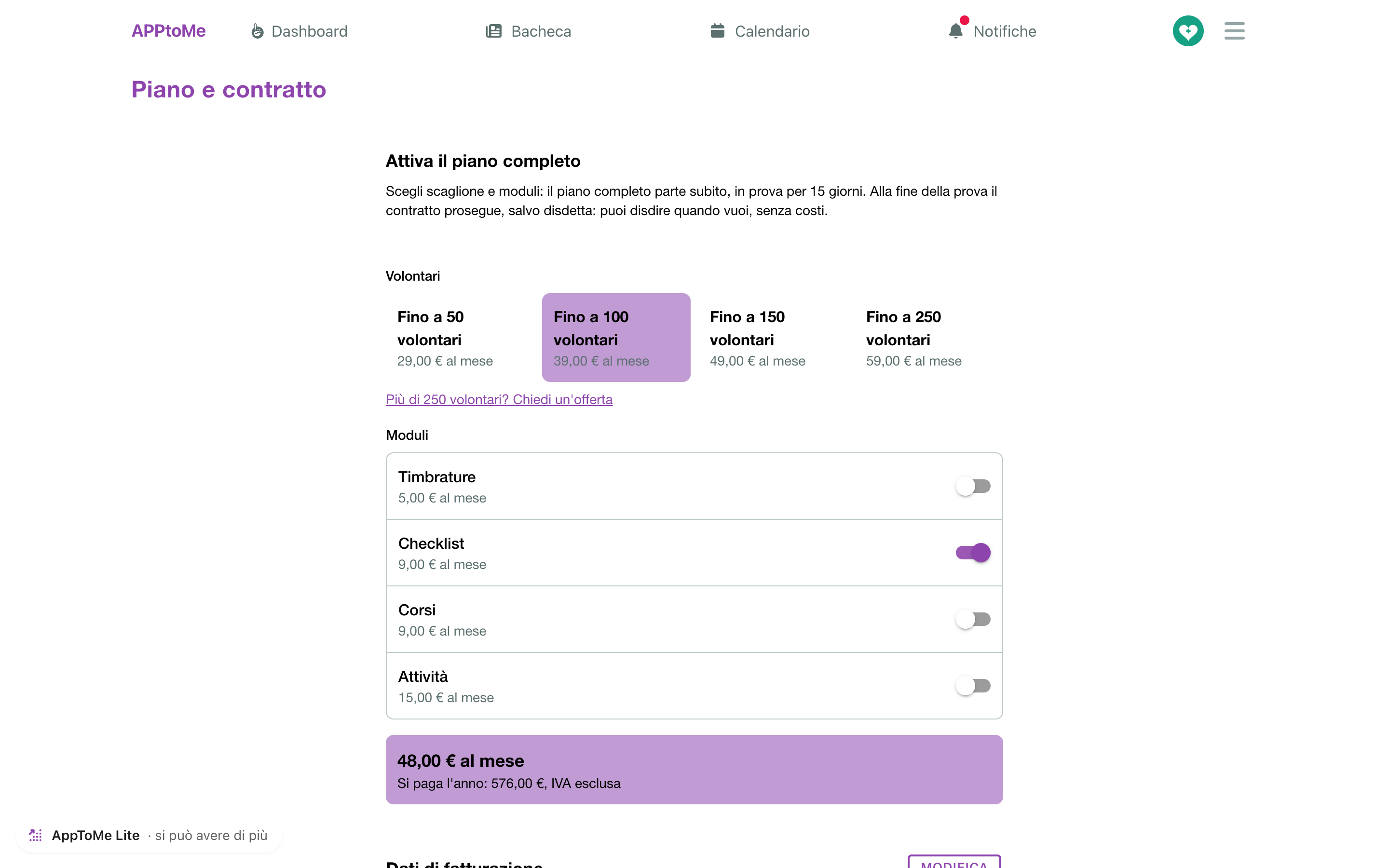
The full plan turns on at once, on trial for 15 days: every module you chose works and nothing is due. You get a confirmation email with the summary and the link to download the contract.
One trial only
Every organization has one free trial. If the contract closes and you activate it again, it starts paid right away.
What happens when the trial ends
Three days before the end you get a notice. If you do nothing, when the 15 days are over the first year starts: the contract goes on by itself and the AppToMe team issues the invoice.
If you do not want to go on, tap Cancel the plan before the trial ends: the organization goes back to AppToMe Lite at no cost and without losing data.
Invoices and payment
- The invoice comes at the start of each period, to the email for invoices you gave, and is paid by bank transfer within 30 days.
- On the page, under Invoices, you see each line with its state: Being issued, To pay by …, Paid.
- While an invoice is to pay, a notice at the top of every page shows its number, date and due date: it goes away when the AppToMe team records the payment.
- If the due date passes unpaid you get an email; if the payment does not arrive, the organization may be taken back to AppToMe Lite. Nobody is removed and no data is lost: as soon as the transfer arrives, the full plan comes back by itself.
- With an unpaid invoice a new contract cannot be activated: the page says so and points to info@apptome.it for any question.
Turning modules on and off
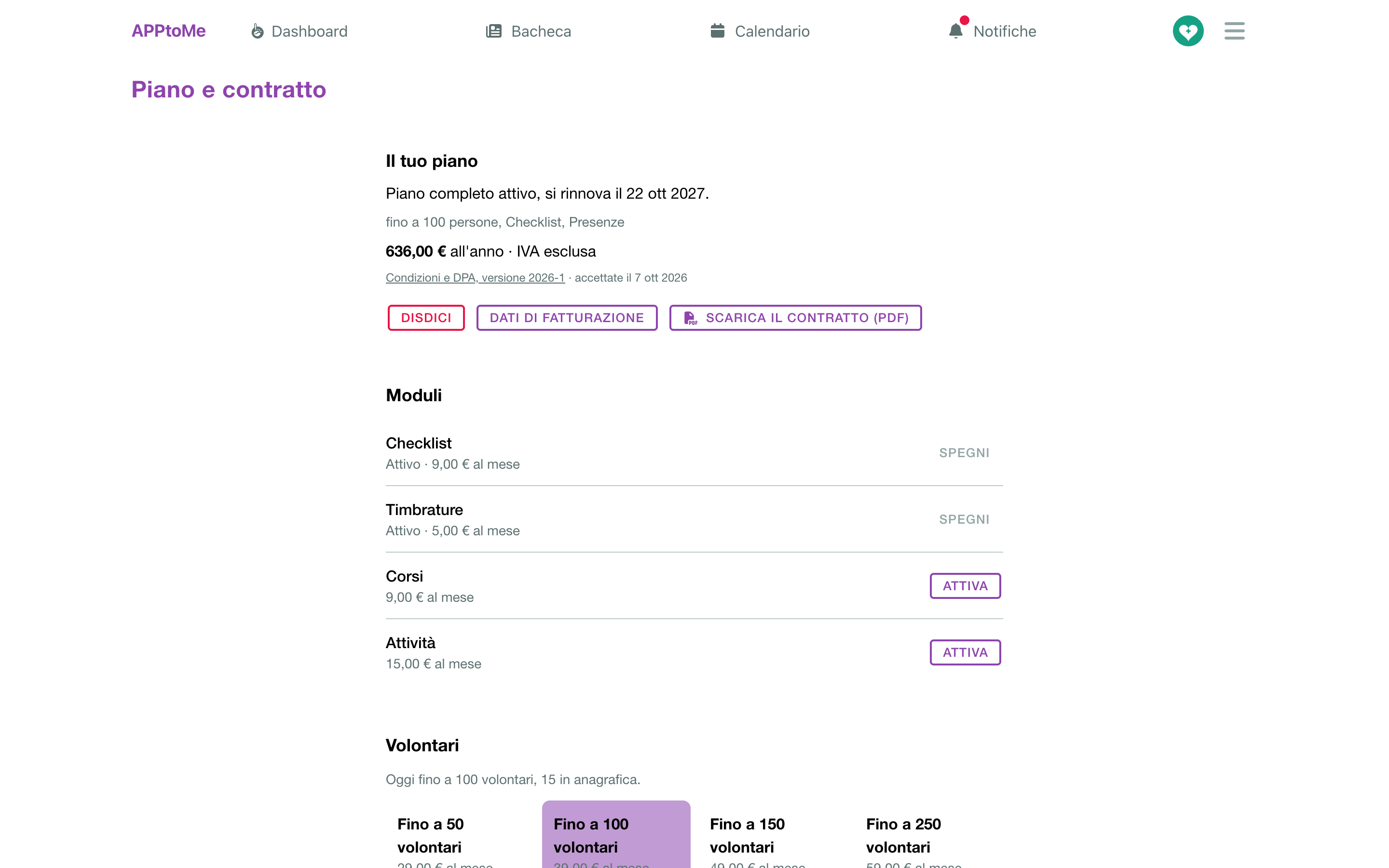
Under Modules each module has its command:
| Command | When it applies | What is paid |
|---|---|---|
| Turn on | at once | the module's share for the days left in the period; you see the exact amount before confirming |
| Turn off | from the end of the period: the module stays on until then and is not renewed | nothing |
| Keep | withdraws a scheduled switch-off | nothing |
The data of a module turned off is not lost: turning it on again brings it back.
A module on trial
The AppToMe team can give you a module on trial for a few weeks: the list shows «On trial until …», it works like the others and costs nothing. Two days before the end you get an email; at the date the module goes off by itself. To keep it, tap Turn on before then: from that day it is in the contract and is paid like an added module.
Changing tier
Under Volunteers pick the new tier and tap Change tier.
- A higher tier applies at once and you pay the difference for the days left, modules included.
- A lower tier applies from the next renewal, and can be chosen only if the people in the registry fit.
Above 250 volunteers, or for agreed prices, tap More than 250 volunteers? Ask for an offer: the AppToMe team prepares an offer that you find on this same page and accept with Accept the offer. In contracts born from an offer, additions go through a new offer; turning a module off or cancelling stays free.
The renewal
The contract is open-ended and paid by periods of one year (six months, when the offer says so). Thirty days before the renewal you get a reminder with what renews and the amount. Nothing to do: the new period starts by itself, with the reductions you had scheduled.
Cancelling
Tap Cancel the plan and confirm. The full plan stays on until the end of the period paid, then the organization moves to AppToMe Lite: the data stays, the add-on modules turn off. Until that day you can go back with Withdraw the cancellation.
The contract
The contract is the text of the terms of service and of the data processing agreement, in the version you accepted, published at apptome.it/condizioni (Italian). With Download the contract (PDF) you get the full copy: plan summary, who accepted and when, and the whole text. The same PDF is behind the link in the confirmation email.
If the plan was agreed directly
Organizations that had the full plan before the digital contract, with a paper contract, see in Plan and contract only the summary of the plan in force: Your full plan, with tier and modules. There is no configurator and nothing is activated by yourselves: for changes write to info@apptome.it.
At the renewal the AppToMe team prepares an offer with the agreed conditions: it appears on this page, you accept it with Accept the offer and from then on the contract is digital, with everything this page describes. There is no trial: the contract starts paid.