Lite and full plan
AppToMe Lite is the free plan for organizations with up to 50 volunteers. This page says what it includes, what stays in the full plan and how you move from one to the other.
Lite is not chosen from the app: the AppToMe team checks and activates every one, after the organization has registered.
What it includes
- Registry, Board and Calendars, with availability, applications and shift swaps.
- Up to 50 people in the registry.
- A single administrator: whoever registered the organization.
- Push and email notifications.
- Repeated shifts up to 30 days from today: the series grows month by month.
- The calendar of the last two months, from the first day of the month two months ago.
- Each volunteer's personal statistics, on the dashboard.
- These manuals.
What stays in the full plan
| Feature | What happens in Lite |
|---|---|
| Courses, Clockings, Activities, Checklists modules | they appear in the administrator's menu, in the Full plan group, with a padlock |
| Staff Statistics | the menu entry has a padlock |
| Exports and prints (calendar, registry) | the command opens the full plan notice |
| More staff members and their permissions | the Staff switch on the person's record is disabled |
| More than 50 people | adding a person opens the full plan notice |
| Calendar older than two months | the shifts are not deleted: they come back with the full plan |
| Direct support, Odoo connector | not available |
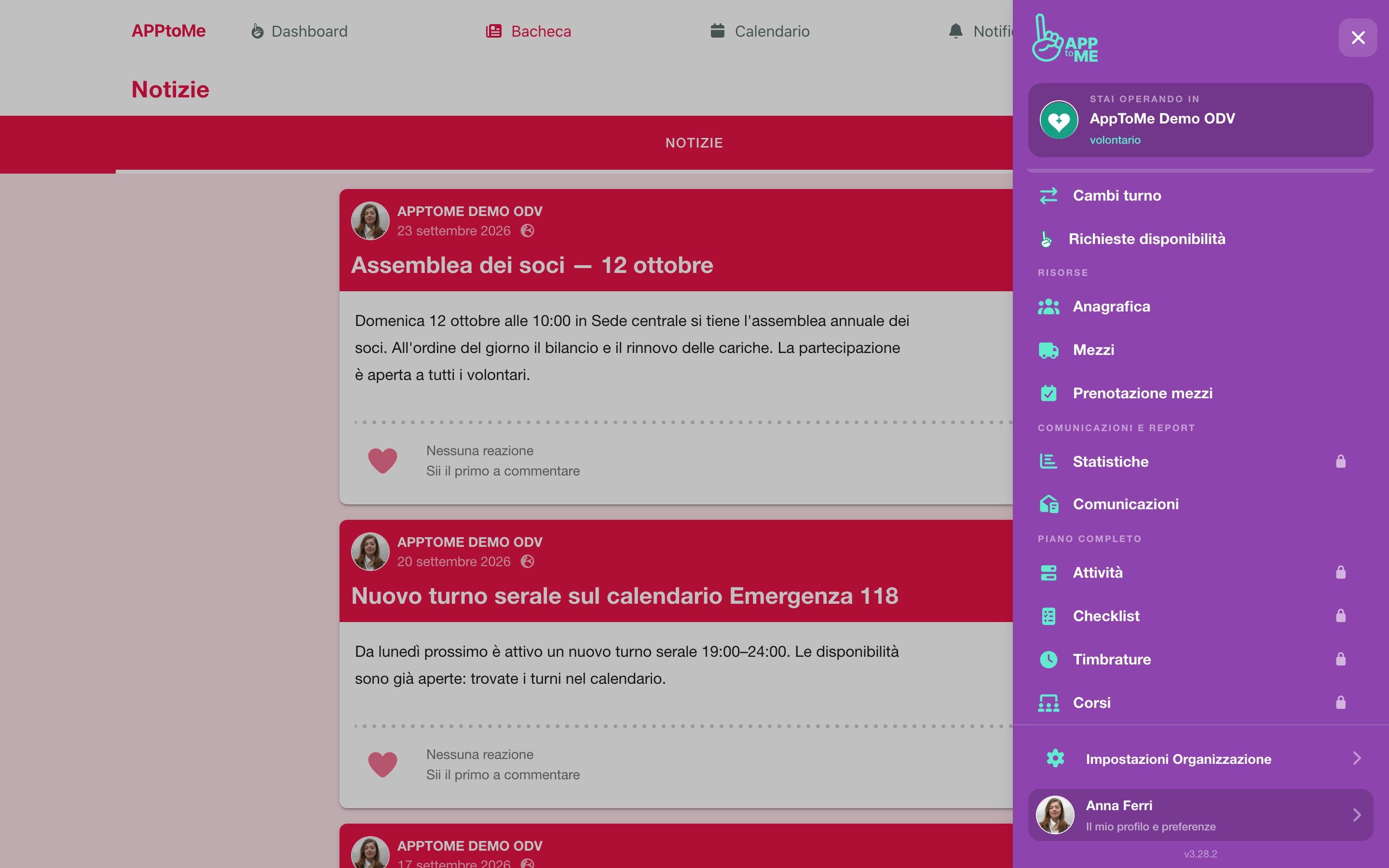
The full plan notice
When you tap a command that Lite does not include, AppToMe does not hide it: it opens the Part of the full plan notice, which says which feature it belongs to and recalls the Lite terms.
- I'm interested lets the AppToMe team know that your organization would like that feature. You will be contacted.
- Close takes you back where you were.
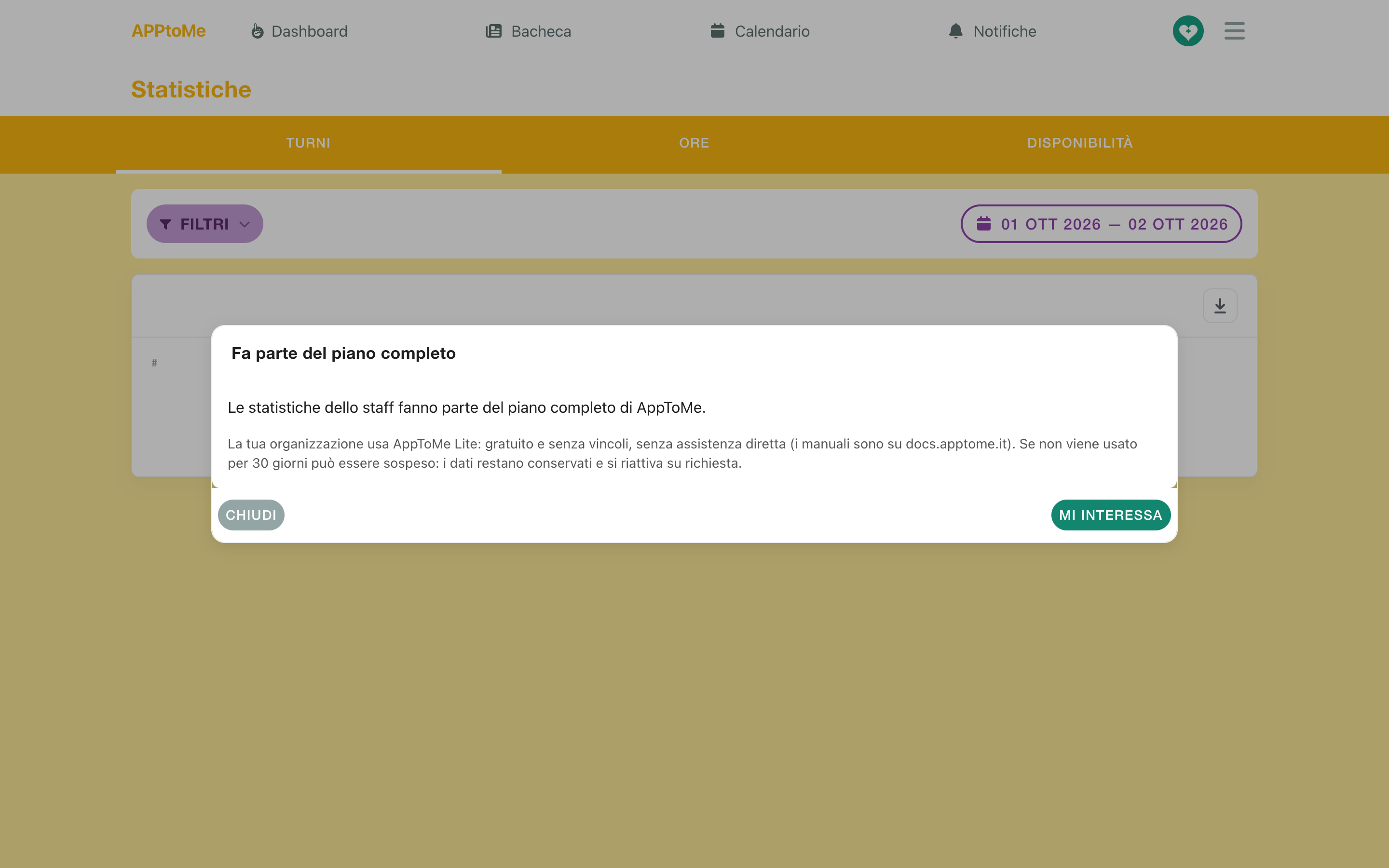
The Lite terms
- It is free and without ties, for you as for us.
- It does not include direct support: for any question there are these manuals.
- If it is not used for 30 days, Pagina 46 may suspend it at any time. The data is kept and the space is reactivated on request.
The same terms reach whoever registered the organization by email, when Lite is activated.
Moving to the full plan
Tap I'm interested on any locked feature. When the organization moves to the full plan the features unlock by themselves: the calendar history comes back and nothing has to be entered again.