Board
The board is where the organization publishes notices and communications, and where you can reply.
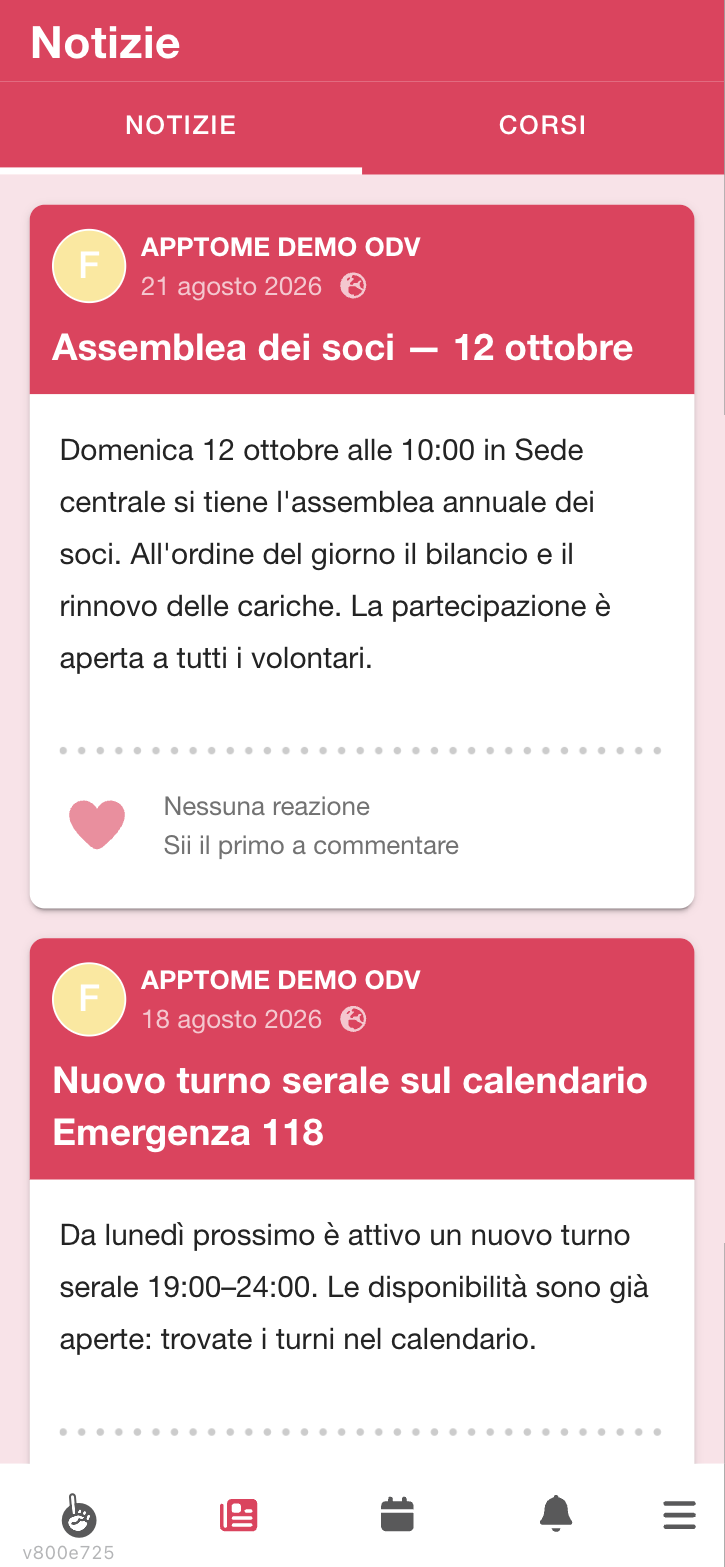
Open it from the menu or from the newspaper icon in the bottom bar: it is split into News and Courses.
Reading the news
News items are in order from the most recent. Each card shows who published it, the date, the title and the text; tap the news item to open it in full and see images and attachments.
Attachments appear at the bottom of the news item with their name: tap one to download it. It opens outside AppToMe, in the phone's browser.
If there is nothing yet you read No news yet — Check back a little later.
Not all news is for everyone: the writer can address it only to certain people, tasks or groups, so it is normal for a colleague to see a notice you do not. A news item that does not concern you does not appear to you in any way: it is not hidden, for you it simply does not exist.
Recipients are decided when the news item is published. If you join a group later, news already published for that group does not reach you: ask a colleague, do not look for it in the app.
Reacting and commenting
Under each news item you find:
- the heart to "like" it. Below it N people like this appears (One person likes this for just one), or No reactions yet if nobody has yet;
- the comments. If there are any you read Show all N comments, or Show the comment when there is only one; otherwise Be the first to comment.
To write, tap the Write something... field and send. You can reply to someone else's comment, so the discussion stays tidy.
The actions on a comment sit behind the ⋮ button on its right (on the phone you can also swipe the comment to the left). The Actions menu opens: Reply on top-level comments; on your own comments also Edit comment and Delete comment, so you fix a typo or a wrong message yourself without asking the staff.
One reaction per person: tapping the heart a second time removes it, it does not add another.
Who gets a notification when you comment: whoever wrote the news item and everyone who has already commented — not the whole organization. Another reason to reply under the right comment instead of opening a new thread.
Comments update by themselves: if someone comments while you are reading, you see it appear without reloading.
Remember the board is visible to the organization's colleagues: it is not the place for personal data or private matters.
If a comment is out of place
In the Actions menu of someone else's comment you have two options:
- report it — it disappears from every volunteer's view and stays visible only to staff, who decide whether to put it back or remove it. It is immediate: nobody needs to confirm;
- block the person — you stop seeing their comments, without this changing anything for others.
These are serious tools: reporting takes someone's voice away until staff look. Use it for what is really out of place, not for a disagreement.
Courses on the board
The Courses tab shows the training courses available. It is the entry point for enrolling: see Courses.
If there are none you read No courses yet — Once one is created, you'll find it here.