Requests
Two different things end up under the name "requests": the availability requests that managers send you, and the shift swaps you ask colleagues for.
Availability requests
A manager can explicitly ask you to cover a shift, instead of waiting for you to sign up on your own.
The request arrives as a notification. Tapping Go opens the shift they need you for directly, and at the top you read You have been asked to cover this shift as …, with the task.
Answer from there, without changing screen:
- Accept — you are signed up on the shift with that task, already confirmed: nothing else to do from the calendar;
- Reject — the app asks for confirmation, because whoever sent it will have to make the request again from scratch.
You can also not answer: the request expires by itself. But if the shift is close, rejecting is more useful than silence — the organizers know right away they have to look for someone else.
Invitations still open are also in the Availability requests list, with shift, task and deadline: it is the same answer, from the same two buttons.
If the button does not work
A request can lapse while you are looking at it: the time runs out, the shift fills up with someone else, or the shift begins. In that case the app answers The request has expired and the row disappears: it is not your mistake.
Shift swaps
Info
Only available on the calendars where your organization has enabled shift swaps. If the button is not there, that calendar does not provide for it.
It is for when you are already signed up for a shift and can no longer be there. Instead of removing yourself and leaving a gap, you propose that a colleague take your place.
You can propose a swap only if your availability on that shift is already confirmed and you do not already have another open request on the same shift.
Proposing a swap
- Open the shift from the calendar.
- Tap Propose shift swap.
-
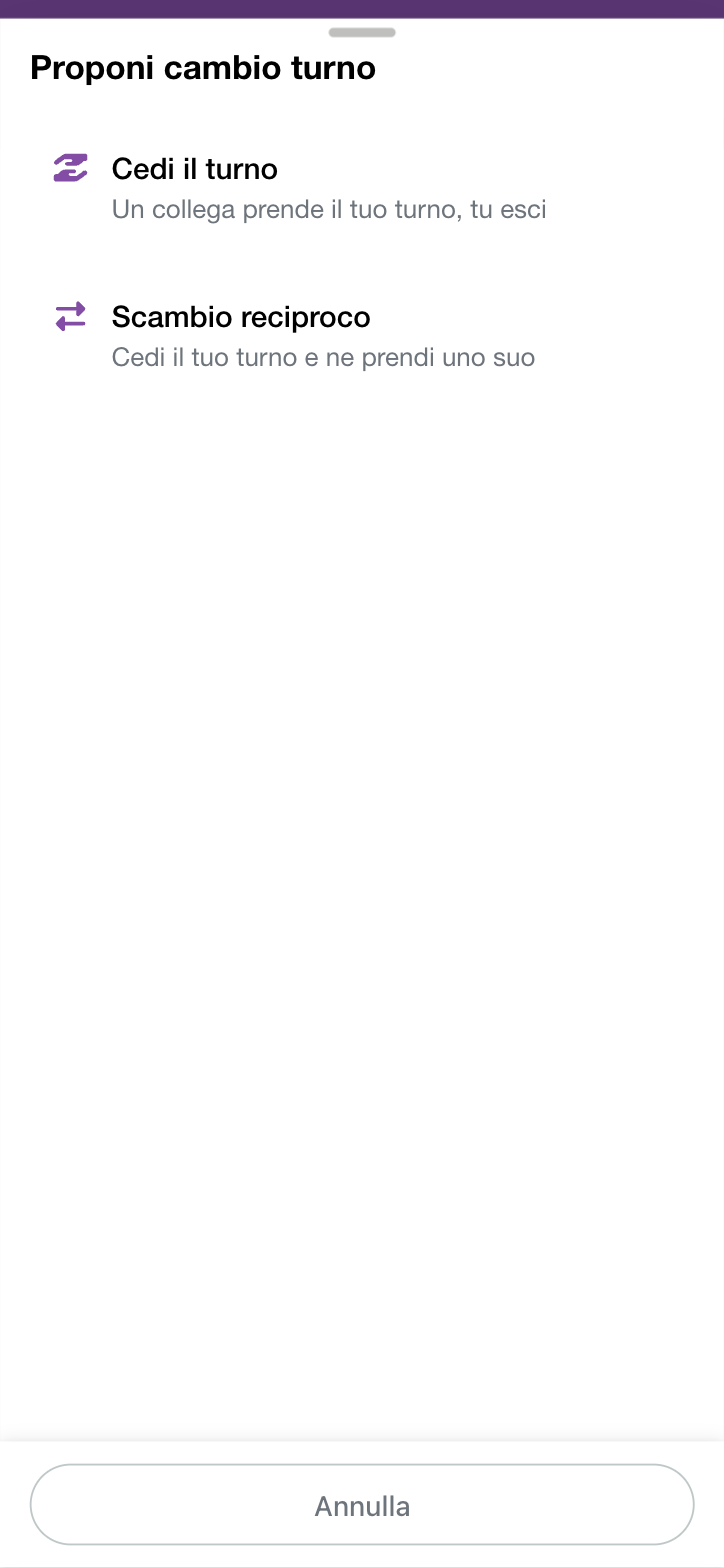
Choose the kind of swap:
- Hand over shift — a colleague takes your shift, you step out;
- Mutual swap — you give your shift and take one of theirs.
 4. Choose recipient among the colleagues proposed. Only those who have the
task required and can really cover the shift appear; if there is none you
read No eligible volunteers. If the list is long, use the Search box.
4. Choose recipient among the colleagues proposed. Only those who have the
task required and can really cover the shift appear; if there is none you
read No eligible volunteers. If the list is long, use the Search box.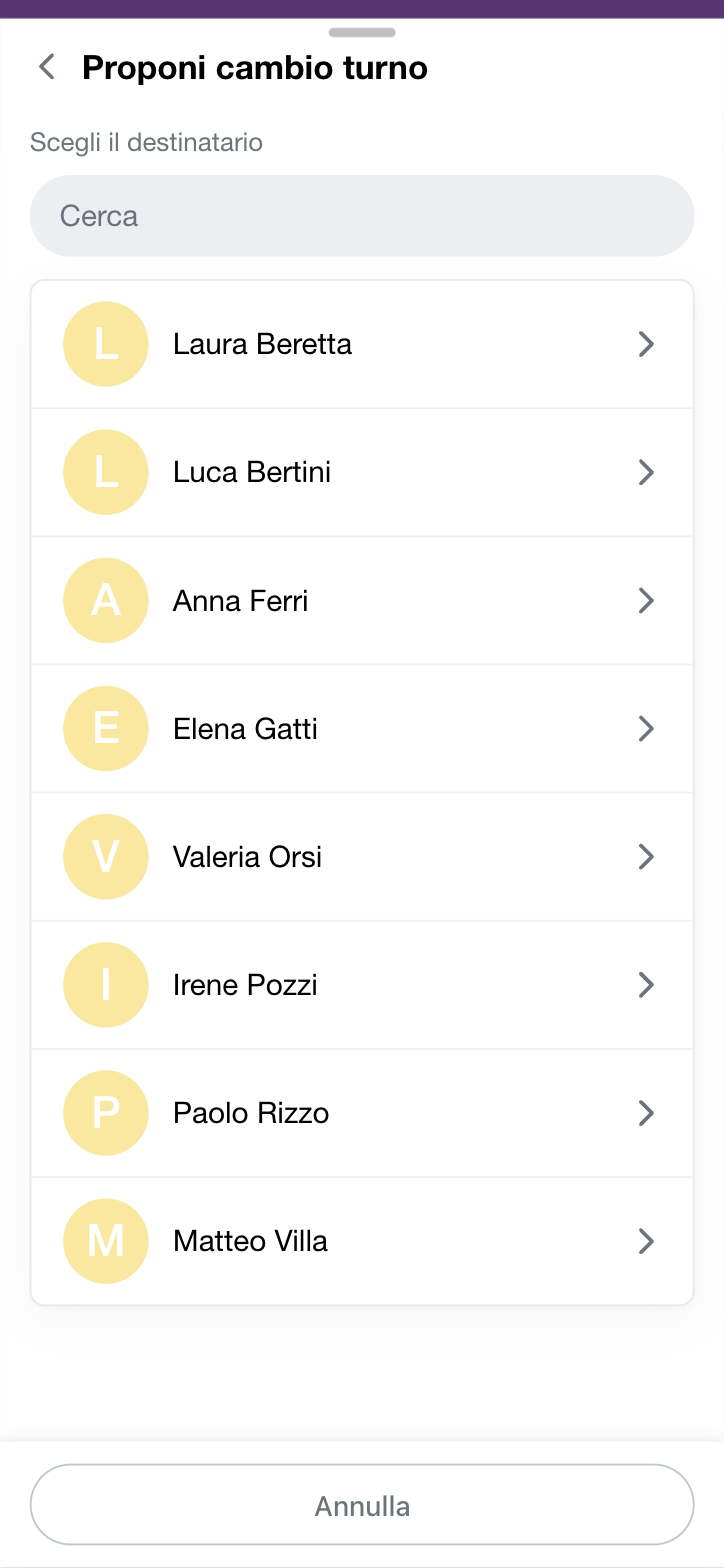 5. If you chose the mutual swap, choose the shift to take among the
colleague's. If they have none that fit, the app proposes the handover only
(Handover only — no shift in return).
6. Check the summary, which tells you what you give and what you take,
and tap Send request.
5. If you chose the mutual swap, choose the shift to take among the
colleague's. If they have none that fit, the app proposes the handover only
(Handover only — no shift in return).
6. Check the summary, which tells you what you give and what you take,
and tap Send request.
The request has a deadline (Expires on …): if the colleague does not answer by that date, it lapses.
How the swap is applied
It is worth knowing what happens behind the scenes, because it explains almost every case in which a swap does not go through.
Tasks are not chosen. Whoever takes your shift takes it with your same task; in a mutual swap you inherit the task the colleague had on theirs. Neither of you can change role with this tool.
The deadline is the nearer of two. A request lasts 24 hours, but can never go past the start of the shift: if you propose a swap for tonight, it expires tonight. When the shift begins, the request lapses anyway, even if the colleague was about to answer.
Everything is checked again at the moment of the answer, not at the moment of sending. Between the proposal and the answer quite a few things can change — you may have removed yourself from the shift, the colleague may have signed up there on their own, a task may have been revoked from them. If at the moment of acceptance a condition no longer holds, the swap stops there and neither shift is touched.
Coverage comes first. AppToMe applies the swap and then checks that none of the shifts involved has gone from covered to uncovered. If that happened, it undoes everything: availabilities go back as they were, the request shows as cancelled and you both receive the notification. There is no such thing as a "half-done swap".
Manager approval kicks in if even one of the calendars involved requires it. With a sensible exception: if you yourself are the manager of that shift, or if there is nobody else who can sign off, the step is skipped — otherwise the request would sit still until it expires. Those involved in the swap cannot approve it.
Expiries are not instant. A periodic check goes through marking expired requests and notifying both parties: the status may update with some delay compared with the exact time.
Following your requests
In Shift swaps in the menu you find everything, split into tabs:
- Received — the requests sent to you, to accept or reject
- My requests — the ones you sent, with their status
- History — the ones already handled
The possible statuses are:
| Status | What it means |
|---|---|
| Pending | the colleague has not answered yet |
| Awaiting approval | the colleague accepted, a manager's go-ahead is missing |
| Accepted | done: the shift has changed hands |
| Rejected | the colleague said no |
| Cancelled | you withdrew it |
| Expired | nobody answered by the deadline |
The Awaiting approval step appears only on calendars where the organization requires a manager to confirm the swap.
Answering a received request
In the Received tab every request is a card with who sent it, the Role you would take the shift with, the shift being given to you with date and time, and the Accept and Reject buttons. At the top a counter tells you how many you have to handle.
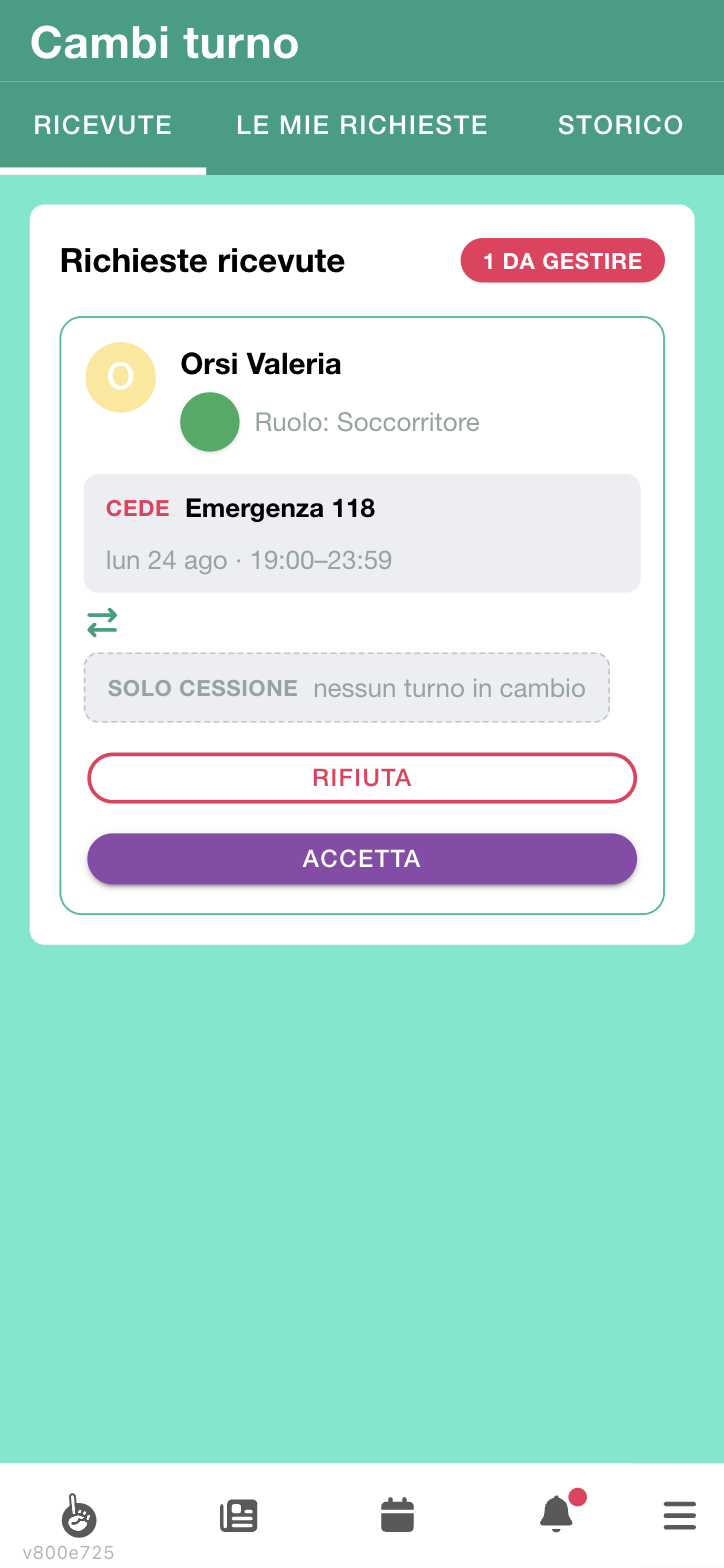
When it is a plain handover — no shift in return — the card says so in plain words: Handover only, no shift in return.
If you reject, the app warns that whoever sent it will have to start over.
If you accept, you take the shift in the colleague's place, with the task shown.
Withdrawing a request you sent
Open the shift or the request and tap Cancel request, then confirm (Do you want to cancel the shift swap request?). You stay on the shift.
Error messages
| Message | What it means |
|---|---|
| You already have an active swap request on this shift | wait for the answer or cancel the one in progress: there can only be one per shift |
| The swap would leave a shift uncovered | the swap would remove a needed coverage, so it was not applied: nothing changed |
| You don't have the task required for this shift | you do not have the task the shift must be covered with |
| The requester is no longer available on this shift | whoever proposed the swap removed themselves from the shift in the meantime: the proposal no longer has an object |
| The recipient is already on this shift | the colleague signed up on the shift by themselves while the request was pending |
| The recipient is no longer available on the shift offered in return | the colleague removed themselves from the shift they were offering you |
| You are already on the shift offered in return | you would have two places on the same shift: the swap cannot be done |
| The shift offered in return has no task to inherit | on the colleague's shift there is no task to pass to you |
| The request has expired | the deadline has passed, or the shift has already started |